



All India Scholarship Helpline : 8050067687

Cluinn

Last Update On

Staff 3

Cluinn AI: Smart Meeting Assistant & Voice Dictation Tool

CIGMA Pedia Whatsapp Community

Cluinn AI: Smart Meeting Assistant & Voice Dictation Tool It is an AI powered meeting assistant and voice typing tool designed for Mac users. It helps people manage conversations, answer questions during meetings, and create clear text using voice commands. Unlike traditional meeting assistants, Cluinn does not add a bot to your meeting. It listens directly on your Mac and provides useful information while the conversation is happening. It also creates meeting summaries, tracks action items, and helps users improve their communication. Cluinn is useful for professionals, sales teams, recruiters, consultants, and anyone who regularly attends online meetings.
5 Benefits of Using of Cluinn AI

  1. Saves Time: Creates meeting notes and action items automatically.
  2. Better Communication: Helps users find answers during conversations.
  3. Improves Productivity: Converts speech into text quickly.
  4. Reduces Missed Details: Highlights unanswered questions and important information.
  5. No Meeting Bot: Works directly on your Mac without adding a bot to calls.

Features of Cluinn AI

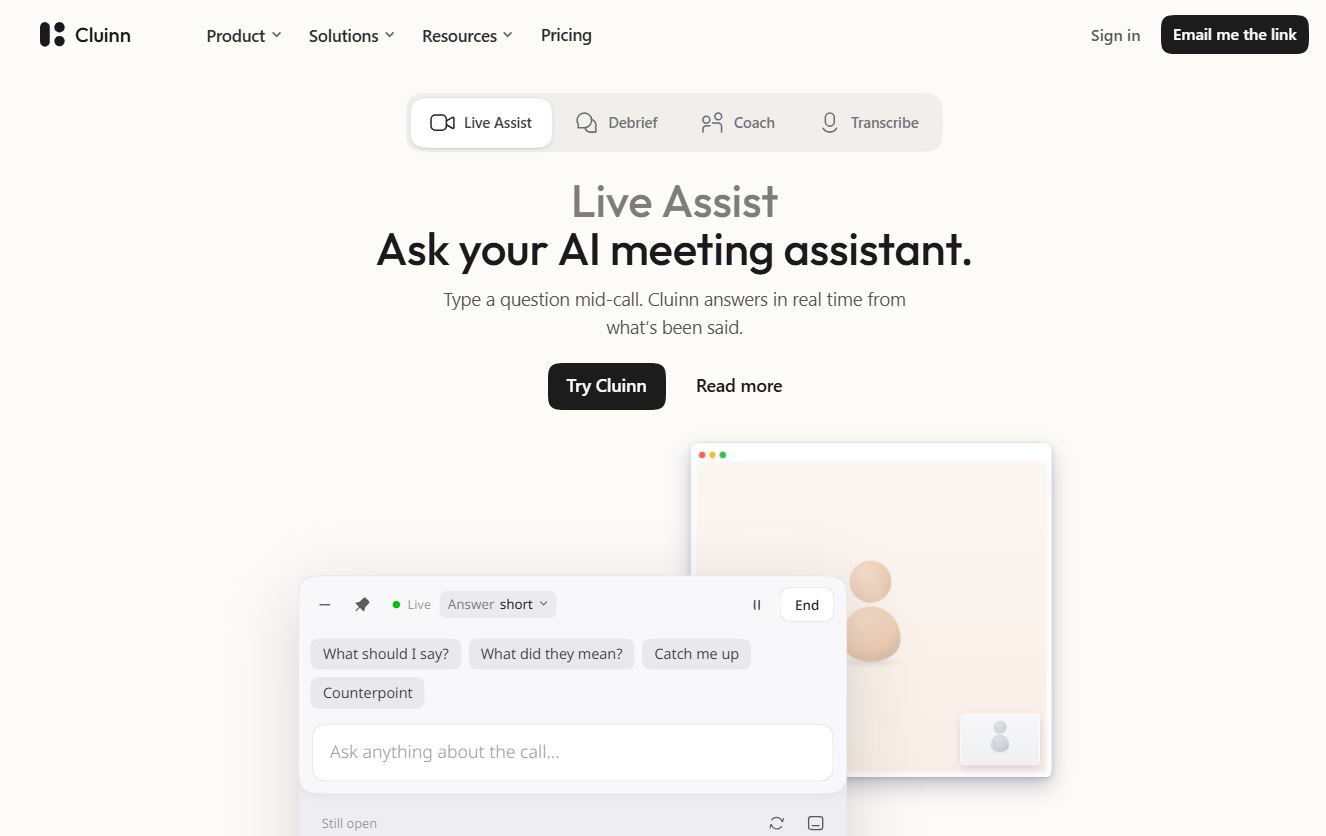
  • Live Assist: Cluinn answers questions during a meeting using information from the ongoing conversation. Users can quickly find important details without interrupting the discussion.
  • Smart Cards: Smart Cards highlight unanswered questions, missing information, and unconfirmed promises. This helps users avoid missing important points during calls.
  • Automatic Meeting Transcription: Cluinn creates live meeting transcripts and identifies different speakers. Users can review conversations and find important information later.
  • Automatic Action Items: After a meeting, Cluinn creates a summary with important points, reminders, and action items. This helps users understand what needs to be done next.
  • AI Voice Dictation: Users can speak naturally and convert their words into clean text in any Mac application. It supports 35 languages and removes unnecessary filler words.

Also Check : Vidyadhan Mathura Scholarship for Women in STEM 2026

5 Problems with their solutions that Cluinn AI solve it

1. Problem: Important meeting details are easily forgotten

Solution: Cluinn creates transcripts and summaries for later review.

2. Problem: Finding answers during meetings is difficult.

Solution: Live Assist answers questions using the ongoing conversation.

3. Problem: Some questions remain unanswered.

Solution: Smart Cards highlight questions that need attention.

4. Problem: Writing emails and messages takes too much time.

Solution: AI voice dictation converts speech into clean text.

5. Problem: Teams forget their next steps after meetings.

Solution: Automatic action items help users track follow-up tasks.

Frequently Asked Questions about Cluinn AI

Q1. What is Cluinn AI?
Cluinn is an AI meeting assistant and voice dictation application.

Q2. Does Cluinn work on Windows?
No. It currently supports Apple silicon Macs (M1 or later).

Q3. Does Cluinn join meetings as a bot?
No. It listens directly on your Mac without adding a meeting bot.

Q4. How many languages does Cluinn support?
Its voice dictation supports 35 languages.

Q5. Does Cluinn offer a free trial?
Yes, both paid plans include a 14-day free trial.

Cluinn AI: Pricing Plan

Cluinn offers two paid plans with a 14-day free trial.

Basic Plan – $7/month

  • $9/month when billed monthly.
  • AI voice dictation in any application.
  • Custom dictionary and text snippets.
  • Support for 35 languages.
  • Automatic language detection and translation.

Pro Plan – $10/month

  • $15/month when billed monthly.
  • Includes all Basic features.
  • Live meeting transcription.
  • Live Assist and Smart Cards.
  • Automatic action items and meeting summaries.
  • Coach and saved-call question support.

Also Check : Social Media Account Manager Work from Home Internship at HookItIn

Conclusion

Cluinn is a useful AI tool for people who attend regular meetings and want to improve their productivity. Its Live Assist, Smart Cards, meeting transcription, automatic summaries, and voice dictation features make daily work easier. It helps users find answers during calls and remember important tasks afterwards. Its no-bot approach also makes it different from many traditional meeting assistants. Although it is currently designed for Apple silicon Mac users, Cluinn is a helpful choice for professionals who want smarter meetings and faster communication

Also Check : Specsight: Understand Your Product, Track Changes & Automate Documentation

CIGMA Pedia Scholarships Finder: find the scholarships that match you in 8 quick questions