


All India Scholarship Helpline : 8050067687

Zella

Last Update On

Staff 3

Zella: AI Powered Screen Recording and Video Editing Tool

CIGMA Pedia Whatsapp Community

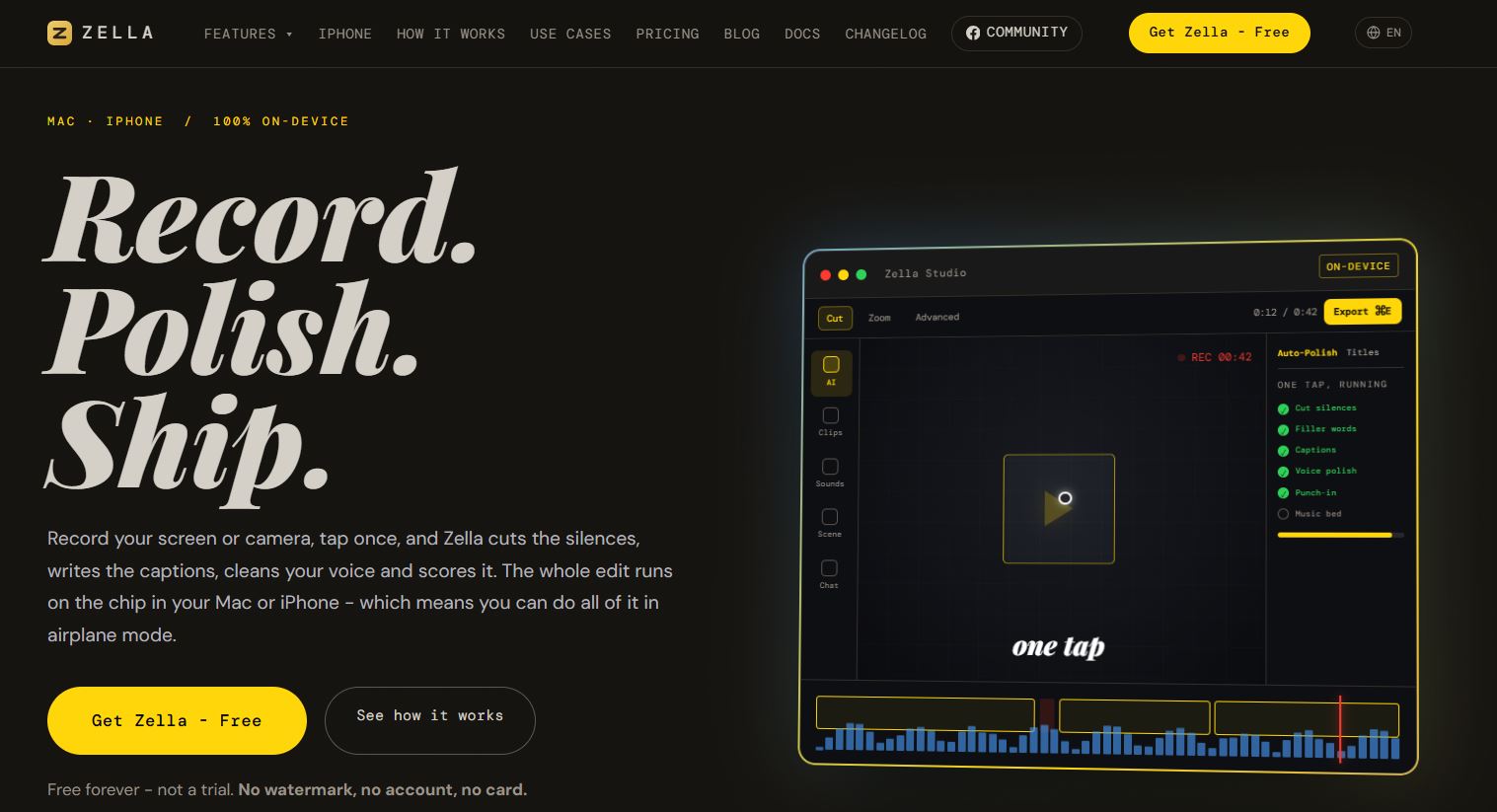
Zella: AI Powered Screen Recording and Video Editing Tool It is an AI-powered screen recorder and video editor for Mac and iPhone. It helps users record videos, remove unwanted pauses, add captions, improve audio, and create engaging content with less manual editing. Its AI features work directly on the device, making it useful for content creators, educators, professionals, and businesses.
5 Benefits of Using of Zella

  1. Saves time: Automates common video editing tasks.
  2. Easy to use: One-click editing helps beginners create videos.
  3. Improves video quality: Captions, audio cleanup, and transitions make content clearer.
  4. Protects privacy: Recordings and most AI processing stay on the device.
  5. Reduces costs: The free plan offers useful recording and editing features without a subscription.

Features of Zella

  • One-Click AI Editing: Zella’s Auto-Polish feature automatically removes silence and filler words, adds captions, improves voice quality, and creates a smoother video.
  • Screen and Camera Recording: Users can record their screen, camera, or both. It is useful for tutorials, product demonstrations, presentations, and training videos.
  • AI Video Enhancement: The Make It Viral feature helps improve video pacing with transitions, sound effects, music, and animated captions.
  • Background Removal and Captions: Zella can remove video backgrounds and generate captions on the device. Users can create professional-looking videos without special recording equipment.
  • Advanced Editing and Export: The editor includes trimming, transitions, colour effects, audio tools, and video resizing. Paid plans support longer exports and higher resolutions.

Also Check : Indic AI Scholarship 2026-27 for UG Students

5 Problems with their solutions that Zella can solve it

1. Problem: Editing raw recordings takes too much time.

Solution: Auto-Polish automates several editing tasks.

2. Problem: Videos contain long pauses and filler words.

Solution: Zella removes unwanted silence and filler words.

3. Problem: Viewers may struggle to follow videos without captions.

Solution: Automatic captions make spoken content easier to understand.

4. Problem: Recording backgrounds look unprofessional.

Solution: Background removal helps users create cleaner visuals.

5. Problem: One video needs different formats for social media.

Solution: Zella can reframe videos for vertical, square, and landscape formats.

Frequently Asked Questions about Zella

Q1. What is Zella?
Zella is an AI-powered screen recording and video editing application for Mac and iPhone.

Q2. Is Zella free?
Yes. Its free plan includes recording and editing features with limited export length.

Q3. Can Zella add captions automatically?
Yes. It generates captions directly on the device.

Q4. Does Zella require a subscription?
No. The free plan is permanent, while Pro and Founder are one-time purchases.

Q5. Who can use Zella?
Content creators, educators, professionals, and businesses can use it to create videos more efficiently.

Zella: Pricing Plan

Free Plan – $0 Forever

Includes the full editor, AI features, unlimited recording, automatic captions, background removal, and watermark-free exports up to two minutes in 1080p.

Pro Plan – $89 One-Time Payment

Includes everything in Free, plus unlimited export length, 4K export, 8K export on Mac, transparent-background export, 60 fps, saved templates, and advanced editing tools.

Founder Plan – $299 One-Time Payment

Includes all Pro features, future major-version upgrades, exclusive colour grades, priority support, early access to features, and Family Sharing for up to five additional people.

Also Check : Urdu Transcription Work from Home Internship at Alzaab Solutions

Conclusion

Zella combines screen recording, AI editing, automatic captions, and background removal in one tool. It helps users create clear, engaging videos with less effort. The free plan is suitable for everyday content, while Pro and Founder offer advanced export and editing features for users with greater needs

Also Check : Skreno: AI Powered Screen Recording and Documentation Tool

CIGMA Pedia Scholarship Finder: find the scholarships that match you in 8 quick questions