




All India Scholarship Helpline : 8050067687

Kinlab

Last Update On

Staff 3

Kin AI: Control AI Agent Permissions, Secure Your Accounts & Manage AI Actions

CIGMA Pedia Whatsapp Community

Kin AI: Control AI Agent Permissions, Secure Your Accounts & Manage AI Actions It Kin platform, helps users control how AI applications access their online accounts and services. It works as a connection layer between AI tools and services such as GitHub, Slack, Notion, Linear, and other platforms. Users can decide which actions AI apps can perform, which actions require approval, and which actions are blocked. Kin also provides activity tracking, shared notes, task management, and connections between different AI applications. It is useful for developers, professionals, and teams who want to use AI automation while maintaining control over their accounts and important actions.
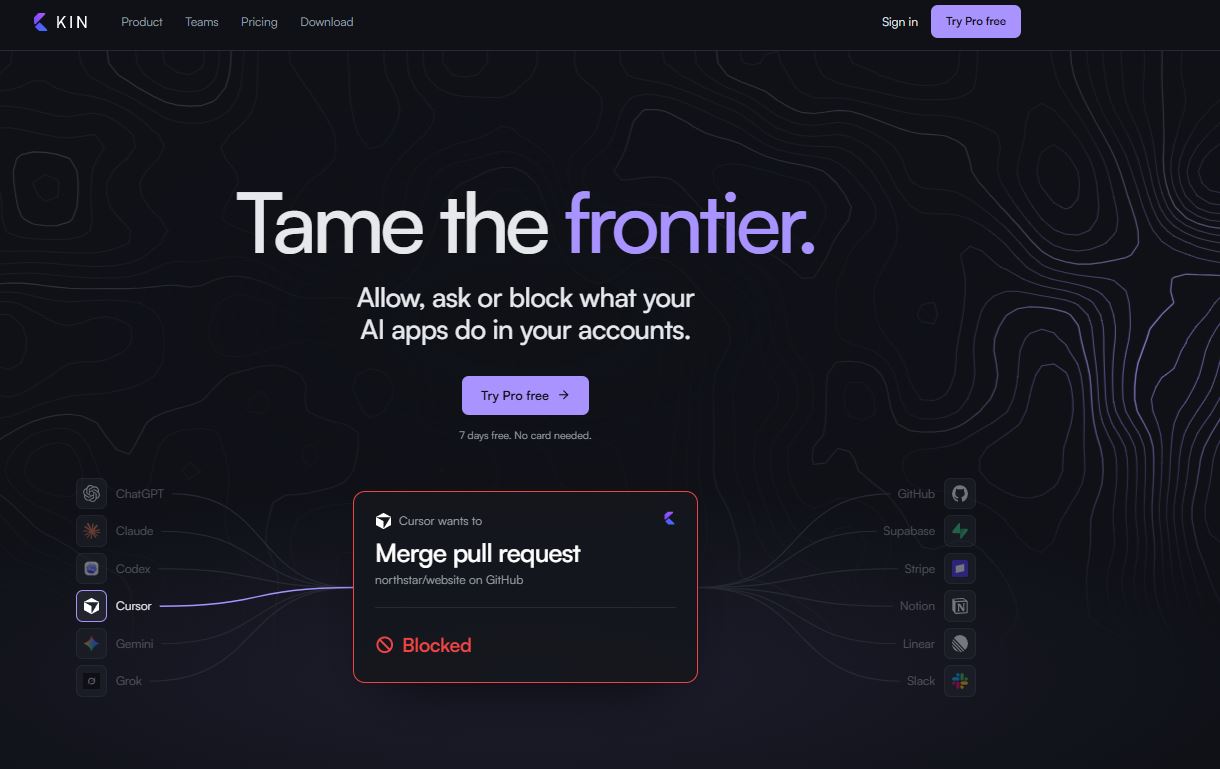
5 Benefits of Using of Kin AI

  1. Better security: Controls what AI applications can do with connected accounts.
  2. Saves time: Connects accounts once for use across supported AI applications.
  3. More control: Allows users to approve or block important actions.
  4. Improved teamwork: Shared notes and tasks help teams organize AI-assisted work.
  5. Better visibility: Activity logs make it easier to review AI actions.

Features of Kin AI

  • AI Permission Management: Kin allows users to set three permission levels for AI actions: Allow, Ask me, or Block. This helps prevent unwanted changes to connected accounts.
  • Centralized Account Connections: Users can connect their accounts once and allow multiple AI applications to use them. Supported services include GitHub, Slack, Notion, Linear, and other integrations.
  • Approval System: When an AI application requests permission for an important action, Kin can pause the request until the user approves or denies it.
  • Activity Monitoring: Kin provides an activity log that shows what AI applications have requested and which actions were allowed, blocked, or approved.
  • AI App Integration: Kin works with AI applications such as ChatGPT, Claude, Codex, Cursor, Gemini, and Grok through MCP integration.

Also Check : Concentrix Scholarship Program 2026-27 for 1st Year MBBS Students

5 Problems with their solutions that Kin AI solve it

1. Problem: AI applications may make unwanted changes to accounts.

Solution: Kin allows users to approve, allow, or block individual actions.

2. Problem: Connecting the same account to different AI tools is inconvenient.

Solution: Users can connect accounts once and share access under their rules.

3. Problem: It is difficult to track what AI agents are doing.

Solution: The activity log records requests and their results.

4. Problem: Important actions may happen without user approval.

Solution: The Ask me permission setting pauses actions until approval.

5. Problem: Different AI applications struggle to share work.

Solution: Shared notes, tasks, and Pro workflow handoffs help applications continue work together.

Frequently Asked Questions about Kin AI

Q1. What is KinLab AI?
Kin is a platform that helps users manage permissions and control how AI applications access connected accounts.

Q2. Is KinLab free?
Yes. Kin offers a Free plan with basic permission management and activity tracking.

Q3. Which AI tools work with Kin?
It supports ChatGPT, Claude, Codex, Cursor, Gemini, Grok, and other compatible AI applications.

Q4. Can Kin block AI actions?
Yes. Users can allow, require approval for, or block specific actions.

Q5. Does Kin support teams?
Yes. Its Team and Enterprise plans provide shared workspaces and additional management features.

Kin AI: Pricing Plan

Free Plan – $0/month

  • 2 AI apps
  • 5 connections
  • 1,000 actions per month
  • Permission rules and approvals
  • Activity log and global pause

Lite Plan – $9/month

  • 5 AI apps
  • 10 connections
  • 5,000 actions per month
  • Shared notes and tasks
  • All Free plan features

Pro Plan – $19/month

  • 20 AI apps
  • 25 connections
  • 50,000 actions per month
  • AI workflow handoffs
  • API connections and multiple-agent workflows

Team Plan – $25/seat/month

  • Shared team workspace
  • One bill for the team
  • All Pro features
  • Minimum two seats

Enterprise Plan – Custom Pricing

  • Audit log exports
  • Custom activity retention
  • Invoice billing
  • Company contract options

Annual billing offers lower monthly equivalent prices. Paid plan availability depends on the user’s country.

Also Check : Digital Marketing Work from Home Internship at Cannibals Media Pvt. Ltd

Conclusion

KinLab’s Kin platform is a useful solution for people and businesses that want more control over AI automation. It connects AI applications with online services while allowing users to manage permissions, approve important actions, and monitor activity. Features such as shared notes, task management, and AI workflow handoffs make it useful for developers and teams working with multiple AI tools. The Free plan is a good starting point, while paid plans offer more connections, applications, and automation capacity. Overall, Kin helps make AI-powered workflows more organized, controlled, and secure

Also Check : SmartJelly AI: Manage Meetings, Track Tasks & Connect Your Work with AI Memory

CIGMA Pedia Scholarships Finder: find the scholarships that match you in 8 quick questions