



All India Scholarship Helpline : 8050067687

Kaiku

Last Update On

Staff 3

Kaiku: Manage Tasks, Collaborate with AI Agents & Organize Team Knowledge

CIGMA Pedia Whatsapp Community

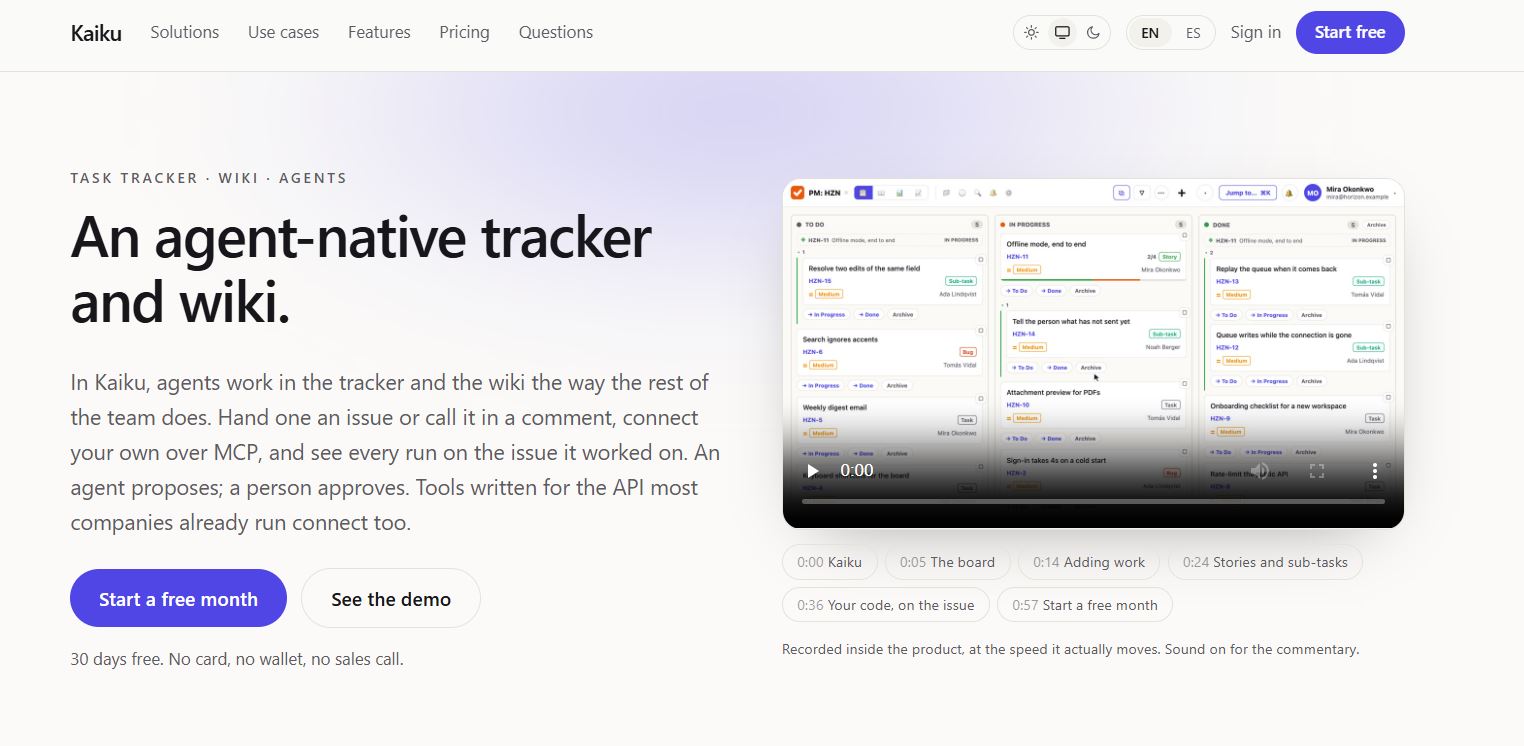
Kaiku: Manage Tasks, Collaborate with AI Agents & Organize Team Knowledge It is an AI-powered task management and knowledge-sharing platform designed for teams that work with AI agents. It combines project tracking, team collaboration, and documentation in one workspace. Users can assign tasks to AI agents, review their suggestions, and approve changes before they are applied. Kaiku also tracks the cost of AI agent activities, helping teams understand how much they spend on automated work. Its built-in wiki keeps project information organized and searchable. Kaiku is useful for software developers, project managers, startups, and teams that want to manage tasks and AI-powered workflows more efficiently.
5 Benefits of Using of Kaiku

  1. Saves time: Automates parts of task management and documentation.
  2. Improves teamwork: Keeps tasks and project information in one workspace.
  3. Provides better control: Requires human approval for proposed changes.
  4. Tracks AI costs: Helps teams understand the cost of individual agent runs.
  5. Keeps information organized: Stores project documents alongside tasks.

Features of Kaiku

  • AI Agent Task Management: Kaiku allows teams to assign issues to AI agents. Agents can plan tasks, suggest changes, and ask questions when they need human decisions.
  • Project Tracking: Users can manage tasks, create boards, organize sprints, and monitor project progress using different views.
  • Built-in Team Wiki: Kaiku includes a wiki for storing project notes, technical documents, and team knowledge. Pages support Markdown and can be exported to Word and PDF.
  • AI Integrations: Kaiku supports the Model Context Protocol (MCP), allowing compatible AI agents to connect with project tasks and documentation.
  • AI Cost Tracking: The platform records information about agent runs, including token usage and machine time, helping teams monitor automation costs.

Also Check : Vidyadhan Mathura Scholarship for Women in STEM 2026

5 Problems with their solutions that Kaiku solve it

1. Problem: Managing project tasks manually takes time.

Solution: Use Kaiku’s boards, sprints, and AI agent workflows to organize work.

2. Problem: Project documents are scattered across different tools.

Solution: Store project knowledge in the built-in wiki.

3. Problem: AI agents may suggest unwanted changes.

Solution: Review and approve proposed changes before applying them.

4. Problem: AI automation costs are difficult to track.

Solution: Check recorded token usage and machine time for each agent run.

5. Problem: Teams struggle to connect AI agents with project management tools.

Solution: Use Kaiku’s MCP support to connect compatible agents to tasks and documentation.

Frequently Asked Questions about Kaiku

Q1. What is Kaiku AI used for?
Kaiku helps teams manage tasks, collaborate with AI agents, and organize project documentation.

Q2. Is Kaiku free?
Kaiku offers a 30-day free trial. Paid plans are available for individuals and teams.

Q3. Can Kaiku work with AI agents?
Yes. It supports MCP, allowing compatible AI agents to interact with tasks and project documentation.

Q4. Can users control AI-generated changes?
Yes. Proposed changes can be reviewed and approved by a person before they are applied.

Q5. Who should use Kaiku?
It is suitable for developers, project managers, startups, and teams that use AI agents in their workflows.

Kaiku: Pricing Plan

Kaiku offers a free trial and several paid plans.

Free Trial – $0 for 30 days

  • Up to two people and one project.
  • Access to all features during the trial.
  • No credit card required to start.

Personal – $19.99/month

  • One user.
  • Up to 100 projects.
  • Supports up to 20,000 issues and wiki pages.
  • Includes 10 GB of attachments.

Team – $7/person/month

  • Designed for collaborative teams.
  • Up to 100 projects.
  • Supports up to 20,000 issues and wiki pages.
  • Includes 20 GB of attachments.

Team with Your Own AI Key – $6/person/month

  • Team features with your own AI provider key.
  • AI usage runs through your configured provider.

AI Pro – Additional $12.99/seat/month

  • Adds AI Pro access to the Team plan.

Check the official website for current pricing, billing options, and plan limits.

Also Check : Video Editing Work from Home Internship at MD Properties Pvt Ltd

Conclusion

Kaiku is a useful AI-powered platform for managing tasks, project documentation, and AI agent activities in one place. Its task boards, built-in wiki, MCP integrations, and AI cost tracking help teams organize work and manage automation more effectively. Human approval for proposed changes also gives users control over AI-assisted tasks. The free trial allows teams to explore its features before choosing a subscription. Overall, Kaiku is worth considering for teams that want to combine project management with AI agent collaboration

Also Check : Overmind: Train Specialized AI Agents, Optimize Models & Automate AI Workflows

CIGMA Pedia Scholarships Finder: find the scholarships that match you in 8 quick questions