




All India Scholarship Helpline : 8050067687

Gitglow

Last Update On

Staff 3

GitGlow: Local First Git Workbench for Developers

CIGMA Pedia Whatsapp Community

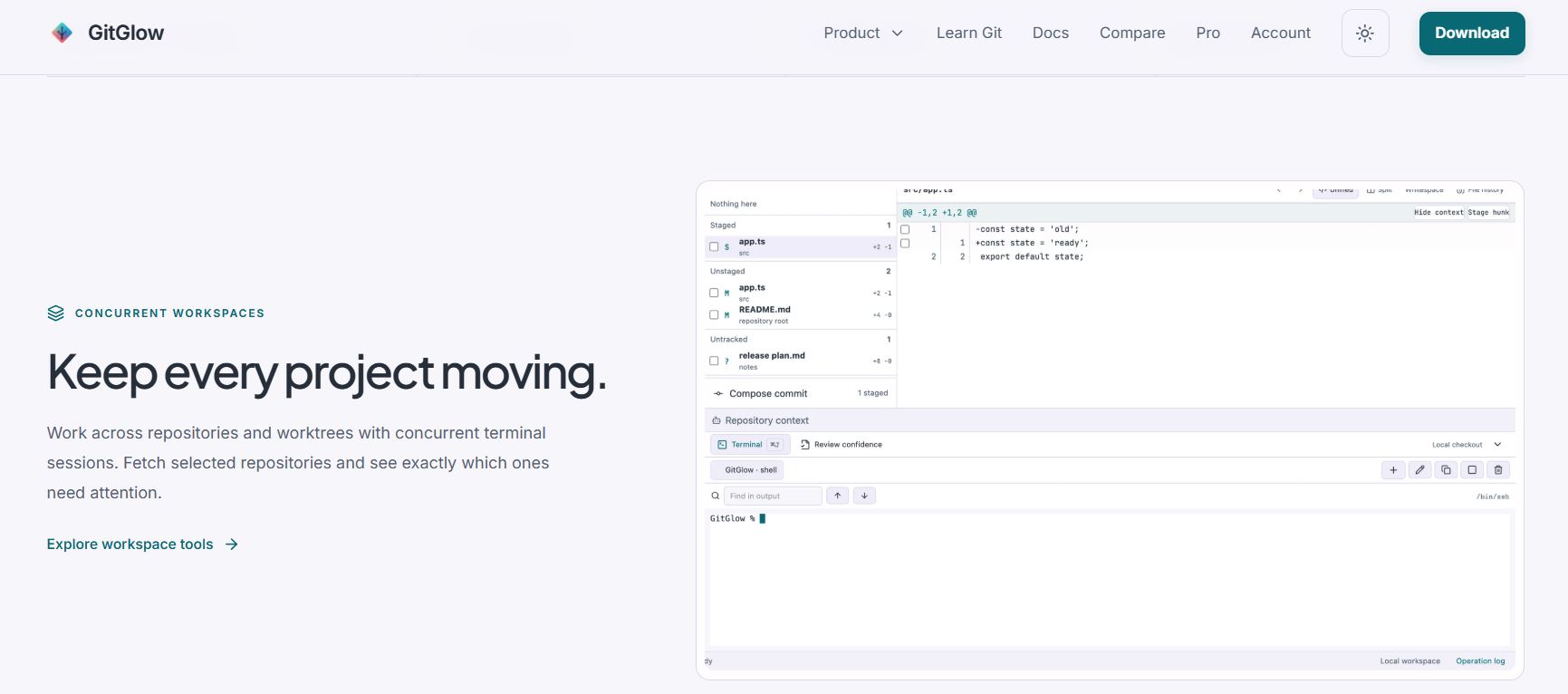
GitGlow: Local First Git Workbench for Developers It is a local-first Git workbench designed to help developers review code changes, manage repositories, work with coding agents, and prepare releases. It brings Git operations, diffs, history, terminals, agent activity, GitHub workflows, and release tools into one desktop application. GitGlow works on macOS, Windows, and Linux and can be used for private local repositories without an account.
5 Benefits of Using of GitGlow

  1. Saves development time: Keep Git, terminal, review, and agent activity together.
  2. Improves code confidence: Review changes and verify the current checkout before shipping.
  3. Supports AI-assisted development: Keep agent-generated changes visible and reviewable.
  4. Works locally: Repository files, diffs, and history stay on your device.
  5. Supports multiple platforms: Use GitGlow on macOS, Windows, or Linux.

Features of GitGlow

  • Visual Git Workflow: Review diffs, stage files or selected changes, create commits, manage branches, resolve conflicts, and inspect Git history from one workspace.
  • Built-in Terminal: Run Git commands, tests, and other installed command-line tools directly beside your active repository.
  • Code Review and Verification: GitGlow Pro lets you mark files as reviewed and run checks against the current checkout. If the code changes later, previous verification results become stale.
  • AI Agent Support: GitGlow can observe supported coding-agent activity, including Codex and Claude workflows. Managed agents can be reviewed with approvals and operational replays.
  • GitHub and Release Tools: Pro users can connect GitHub repositories, review checks, prepare releases, and manage release-related workflows from the same workspace.

Also Check : Eastman Powerup Eduskill Scholarship Program 2026-27 for UG, PG and Diploma Students

5 Problems with their solutions that GitGlow can solve it

1. Problem: Git workflows can become difficult to track across many tools.

Solution: GitGlow combines changes, history, terminal, review, and repository tools in one workspace.

2. Problem: AI coding agents can make changes that are difficult to review.

Solution: Use GitGlow to observe agent activity and inspect the affected changes.

3. Problem: Old test results may no longer match the current code.

Solution: GitGlow marks verification as stale when checkout content changes.

4. Problem: Developers working on several repositories need to switch between tools.

Solution: Pro provides concurrent repositories and workspaces.

5. Problem: Preparing a release often requires checking several sources.

Solution: GitGlow Pro connects GitHub context, checks, notes, and release preparation.

Frequently Asked Questions about GitGlow

Q1. Is GitGlow free?
Yes. GitGlow has a free plan for everyday local Git work.

Q2. Does GitGlow support AI coding agents?
Yes. It supports agent workflows including Codex and Claude, with observation and managed-run features.

Q3. Which operating systems does GitGlow support?
GitGlow provides desktop builds for macOS, Windows, and Linux.

Q4. Does GitGlow send my repository data to the cloud?
GitGlow states that local repository status, diffs, history, paths, previews, and audit records stay on your device. Optional GitHub and AI connections have separate data boundaries.

Q5. Is GitGlow suitable for professional developers?
Yes. Its Git, code review, agent monitoring, GitHub, verification, and release features are designed for development workflows.

GitGlow: Pricing Plan

Free – €0

The Free plan includes one active local repository or checkout, precise staging, commits, branches, history, conflicts, terminal tabs, basic agent observation, and read-only MCP. No GitGlow account is required for local Git use.

Pro – €2.99/month or €29/year

Pro adds concurrent repositories and workspaces, review and verification features, managed agents, Replays, approved MCP writes, GitHub integration, release tools, and managed Indie Log reports. AI provider subscriptions and API usage are separate.

Also Check : Graphic Design Work from Home Internship at Tikshark Solutions Private Limited

Conclusion

GitGlow is a useful Git client for developers who want more control over local development and AI-assisted coding. Its combination of visual Git tools, built-in terminal, code review, agent monitoring, GitHub integration, and release workflows makes it a practical option for developers who want to review changes carefully before shipping

Also Check : FloorGen: AI Floor Plan Generator for 2D and 3D Home Design

CIGMA Pedia Scholarships Finder: find the scholarships that match you in 8 quick questions