



All India Scholarship Helpline : 8050067687

Arsaze

Last Update On

Staff 3

Arsaze: AI Powered Video Editing for Creators and Professionals

CIGMA Pedia Whatsapp Community

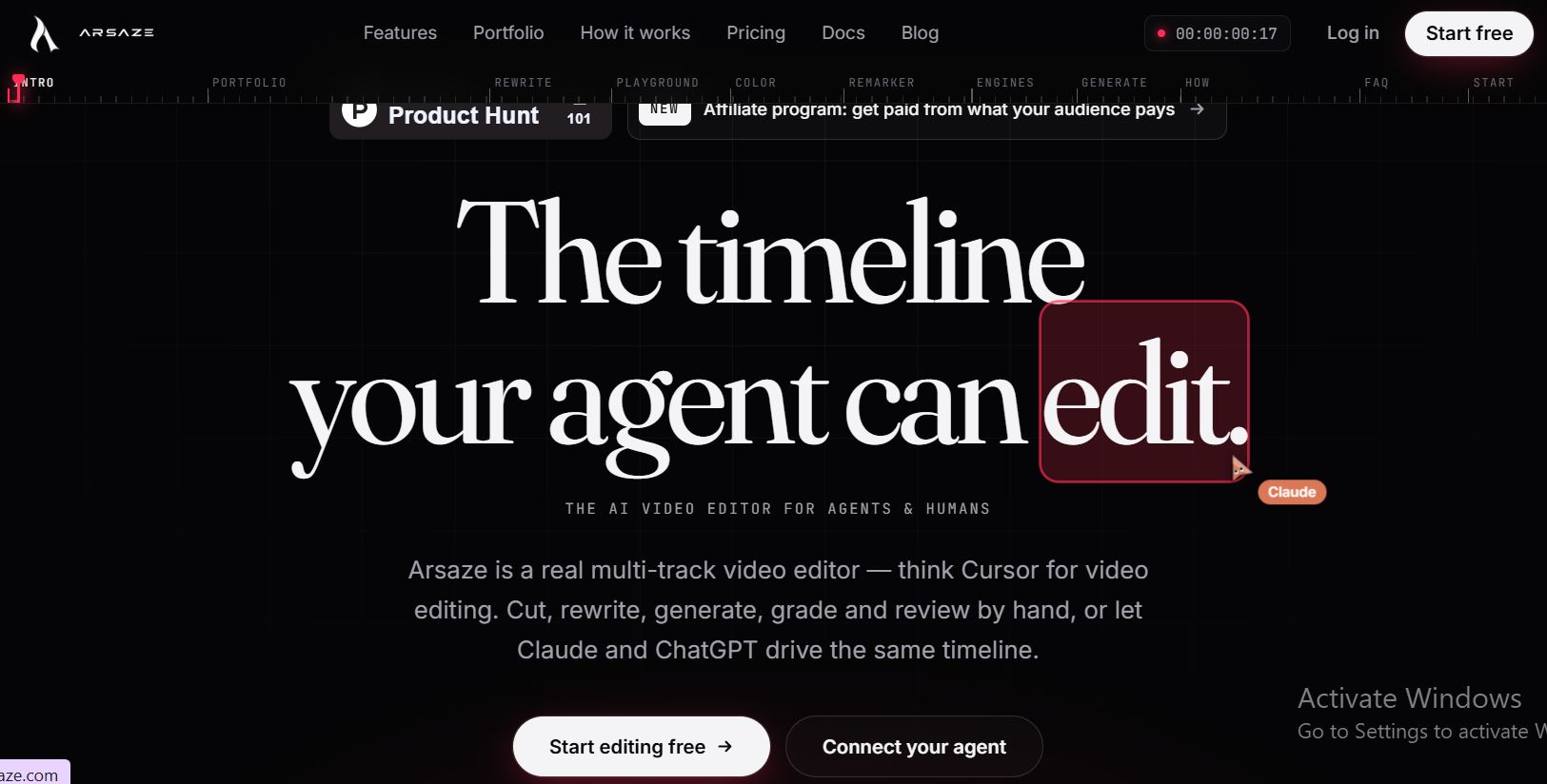
Arsaze: AI Powered Video Editing for Creators and Professionals It is an AI native video editing platform designed for both human editors and AI agents. It provides a professional multi-track timeline where users can cut, trim, generate, color-grade, caption, review, and export videos. Users can also connect AI assistants such as Claude, ChatGPT, or Grok to control the editing timeline through natural-language instructions. Arsaze combines traditional video editing with AI-powered automation. Instead of only generating a video from a prompt, Arsaze lets AI agents work directly with real footage and make precise changes to a timeline. Every edit is versioned, allowing users to review changes and return to earlier versions when needed.
5 Benefits of Using of Arsaze

  1. Saves Time – AI agents can handle many repetitive editing tasks.
  2. Professional Editing – Provides a multi-track timeline with advanced editing and color tools.
  3. AI Generation – Creates video, images, voiceovers, music, and sound effects within the workflow.
  4. Better Collaboration – Frame-specific client feedback makes revisions easier.
  5. Flexible Workflow – Users can edit manually or let connected AI agents operate the timeline.

Features of Arsaze

  • AI Powered Video Editing: Arsaze allows connected AI agents to perform editing tasks such as cutting, trimming, splitting, moving clips, adding transitions, and rendering videos. Users can watch the changes happen directly on the timeline.
  • Text-Based Video Editing: The Rewrite tool transcribes video clips word by word. Users can remove sentences, filler words, pauses, or unwanted sections from the transcript, and the timeline automatically follows the changes.
  • AI Video, Image, and Audio Generation: The Playground lets users create reusable AI workflows for generating images and videos. Arsaze also supports AI voiceovers, music, and sound effects that can be placed directly on the timeline.
  • Professional Color Grading: Arsaze includes color wheels, curves, HSL controls, shot matching, and LUT support. Editors can make detailed color adjustments for individual shots.
  • Client Review and Collaboration: The Remarker tool lets clients add comments to specific frames and versions. Editors and AI agents can use this feedback to make revisions to the project.

Also Check : Leiden University Excellence Scholarship 2027 for PG Students

5 Problems with their solutions that Arsaze can solve it

1. Problem: Video editing takes too much time.

Solution: AI agents can perform repetitive editing tasks such as cutting, trimming, captioning, and arranging clips.

2. Problem: Finding important parts of long footage is difficult.

Solution: Arsaze indexes media and allows users to search footage by scenes or spoken words.

3. Problem: Creating captions manually is time-consuming.

Solution: Auto Captions creates word-timed captions that can be edited like other timeline elements.

4. Problem: AI generated clips require separate editing software

Solution: Arsaze can generate video, images, voice, music, and sound effects directly into the editing timeline.

5. Problem: Client feedback can be difficult to manage.

Solution: Remarker provides frame-specific comments, threads, and version-based review links.

Frequently Asked Questions about Arsaze

Q1. What is Arsaze?
Arsaze is an AI-native video editing platform that combines professional editing tools with AI agents.

Q2. Can AI edit videos in Arsaze?
Yes. AI agents such as Claude, ChatGPT, and Grok can connect to Arsaze and perform editing tasks on the timeline.

Q3. Does Arsaze have a free plan?
Yes. Arsaze offers a Free plan with the complete editor, 50 welcome AI credits, limited cloud rendering, and free desktop exports.

Q4. Can Arsaze generate videos and images?
Yes. Its AI tools support video and image generation, as well as voiceovers, music, and sound effects.

Q5. Can I export videos from Arsaze?
Yes. Users can export MP4 videos or export edits as FCPXML for use with DaVinci Resolve and Premiere Pro. Windows users can also make local exports without watermarks.

Arsaze: Pricing Plan

Arsaze currently offers several plans, with prices billed monthly in Indian rupees.

  • Free – ₹0/month: Full editor, 50 one-time welcome AI credits for audio analysis, 1 hour of cloud rendering per month, 2 GB storage, and 3 projects. Desktop exports are free and have no watermark.
  • Basic – ₹490/month: 150 AI credits, AI features, 2.5 hours of cloud rendering, 10 GB storage, 10 projects, and 2 concurrent AI jobs.
  • Pro – ₹2,450/month: 800 AI credits, 12 hours of cloud rendering, 50 GB storage, 45 projects, and up to 10 active review links.
  • Studio – ₹9,800/month: 2,900 AI credits, 60 hours of cloud rendering, 250 GB storage, unlimited projects, 8 concurrent AI jobs, and 50 review links.
  • Enterprise – Custom Pricing: Custom credits, rendering capacity, storage, limits, concurrency, and billing terms.

Also Check : Digital Marketing Work from Home Internship at Orants Ai

Conclusion

Arsaze is an AI-powered video editing platform that brings AI agents directly into a professional editing workflow. Its multi-track timeline, text-based editing, AI generation, color grading, captions, client review, and MCP integrations make it suitable for creators and professional video teams. With a free plan and several paid options, Arsaze provides different levels of AI credits, storage, rendering, and collaboration features

Also Check : Arc Assistant: AI Assistant That Works on Any Screen