



All India Scholarship Helpline : 8050067687

Last Update On

Staff 3

TrackMCP: AI Powered MCP Server Analytics and Observability

CIGMA Pedia Whatsapp Community

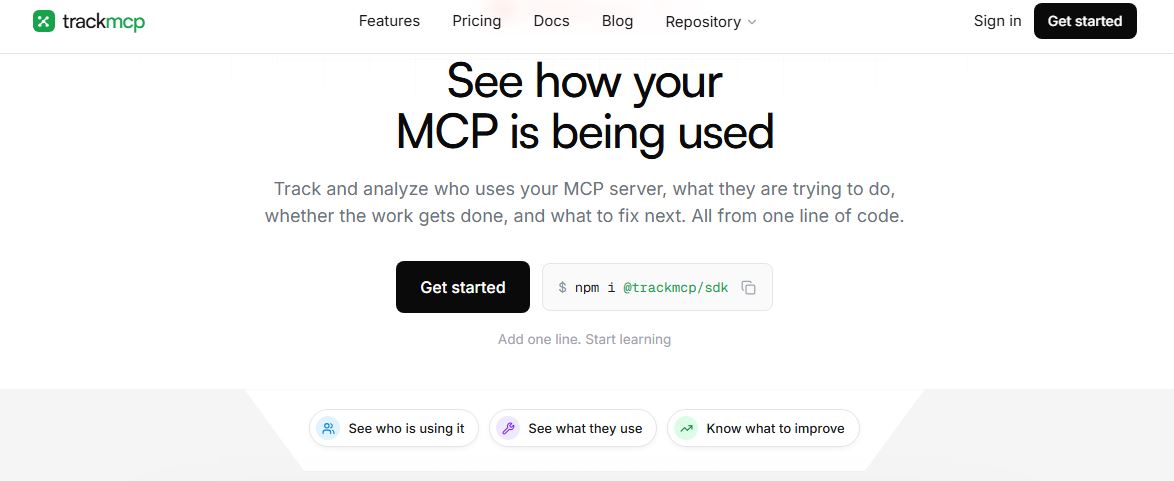
TrackMCP: AI Powered MCP Server Analytics and Observability It is an analytics and observability platform for Model Context Protocol (MCP) servers. It helps developers understand how AI clients use their MCP servers, which tools are being called, where errors happen, and whether AI workflows are completed successfully. TrackMCP works at the server boundary and can turn MCP traffic into useful analytics and plain-English insights. TrackMCP helps teams monitor MCP servers after they are connected to AI applications. Developers can see which clients are using their server, which tools are popular, which tools are unused, and where an AI workflow stops. start using TrackMCP, developers add its SDK to their existing MCP server. The TypeScript and Python SDKs can capture protocol events, tool calls, sessions, errors, latency, retries, and workflow signals without changing the individual tools.
5 Benefits of Using of TrackMCP

  1. Saves Development Time – Helps developers find important MCP problems faster.
  2. Improves Reliability – Makes errors, latency, and workflow failures easier to identify.
  3. Understands User Behavior – Shows which clients and tools are being used.
  4. Better Tool Management – Helps teams identify useful and unused MCP tools.
  5. Clearer Insights – Converts technical usage data into easier-to-understand recommendations.

Features of TrackMCP

  • MCP Tool Analytics: TrackMCP shows how often each tool is called, tool rankings, usage trends, and changes over time.
  • Latency and Error Monitoring: Developers can monitor p50 and p95 latency and identify tools that are slow or have high error rates.
  • AI Client Analytics: Teams can see which clients, such as Claude, Cursor, ChatGPT, or custom agents, are connecting to their MCP server.
  • Session and Workflow Tracking: TrackMCP follows MCP sessions and helps teams identify where users or AI agents stop during a workflow.
  • Silent Failure Detection: MCP tool errors can sometimes be hidden inside successful HTTP responses. TrackMCP helps identify these failures and makes them easier to investigate.

Also Check : Bajaj Finserv Scholarship Program 2026 for UG and PG Students

5 Problems with their solutions that TrackMCP can solve it

1. Problem: Developers may not know which AI clients are actually using their MCP server

Solution: TrackMCP shows client usage and connection activity.

2. Problem: A slow tool can make an AI workflow frustrating for users.

Solution: TrackMCP measures tool latency and highlights slow calls.

3. Problem: Some MCP errors may appear inside otherwise successful responses.

Solution: TrackMCP identifies silent tool failures and helps teams investigate them.

4. Problem: Developers may maintain MCP tools that nobody uses.

Solution: TrackMCP identifies zero-call and low-adoption tools.

5. Problem: Logs alone may not explain why an AI workflow failed.

Solution: TrackMCP connects calls, sessions, errors, and workflow signals to show where the process stopped.

Frequently Asked Questions about TrackMCP

Q1. What is TrackMCP?
TrackMCP is an analytics and observability platform designed specifically for MCP servers.

Q2. What does TrackMCP monitor?
It monitors clients, tools, protocol events, tool calls, sessions, errors, latency, retries, and workflow signals.

Q3. Which AI clients can TrackMCP monitor?
It can provide client-level analytics for MCP users such as Claude, Cursor, ChatGPT, and custom AI agents.

Q4. Is TrackMCP free?
Yes. The Hobby plan is free forever and includes up to 1,000 captured tool calls per month.

Q5. How much does TrackMCP Pro cost?
The Pro plan costs $49 per month and supports up to 50,000 captured tool calls per month.

TrackMCP: Pricing Plan

Hobby Plan: The Hobby plan is free forever. It includes 1,000 captured tool calls per month, seven-day data retention, the core analytics dashboard, one MCP server, one team member, and community support.

Pro Plan: The Pro plan costs $49 per month. It includes 50,000 captured tool calls per month, 90-day data retention, actionable usage insights, up to five MCP servers, privacy-aware telemetry and trace inspection, up to five team members, and email support.

Enterprise Plan: The Enterprise plan uses custom pricing. It is designed for larger teams that need custom call volumes, retention, multiple teams and environments, security reviews, custom terms, and priority onboarding and support.Also Check : Sales Work from Home Internship at Syscon Solutions

Conclusion

TrackMCP is a useful observability tool for developers and teams building MCP servers for AI applications. It provides visibility into tool usage, AI clients, latency, errors, sessions, and workflow outcomes. Its ability to identify silent failures, unused tools, and possible fixes can help teams improve their MCP servers. With a free Hobby plan and a $49 monthly Pro plan, TrackMCP offers options for both smaller projects and growing MCP-based applications

Also Check : Proofrr: AI Powered Creative Review and Collaboration Platform

CIGMA Pedia Scholarship Finder: find the scholarships that match you in 8 quick questions