


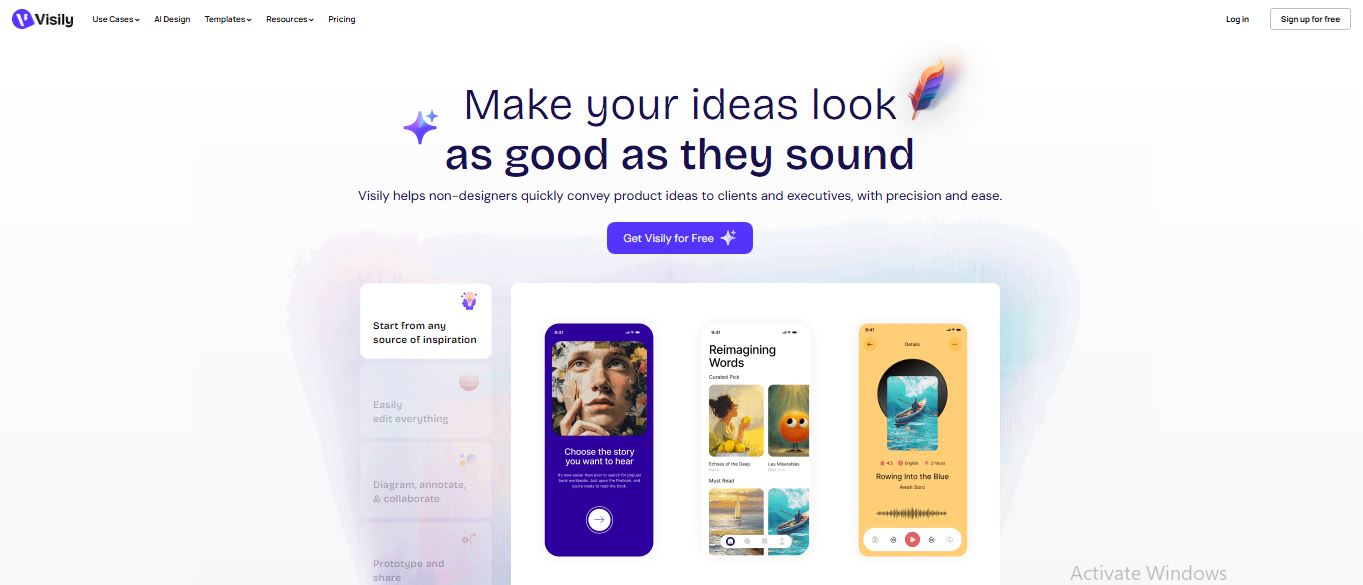
In the fast-paced world of product development, the biggest bottleneck is often turning a great idea into a visual prototype. Visily solves this by using artificial intelligence to bridge the gap between abstract concepts and stunning UI designs. It is essentially a “Figma for the rest of us,” focusing on speed and ease of use rather than complex vector tools.
Contents
5 Benefits of Using of Visily
- No Learning Curve: Designed for people who have never used professional design software.
- Rapid Prototyping: Move from a blank canvas to a clickable prototype in under an hour.
- Figma Integration: Seamlessly export your work to Figma if you need a professional designer to add final polishes.
- Seamless Collaboration: Real-time multi-player editing and on-canvas commenting for teams.
- Resource Rich: Access to a library of over 1,500+ templates and smart components.
Features of Visily
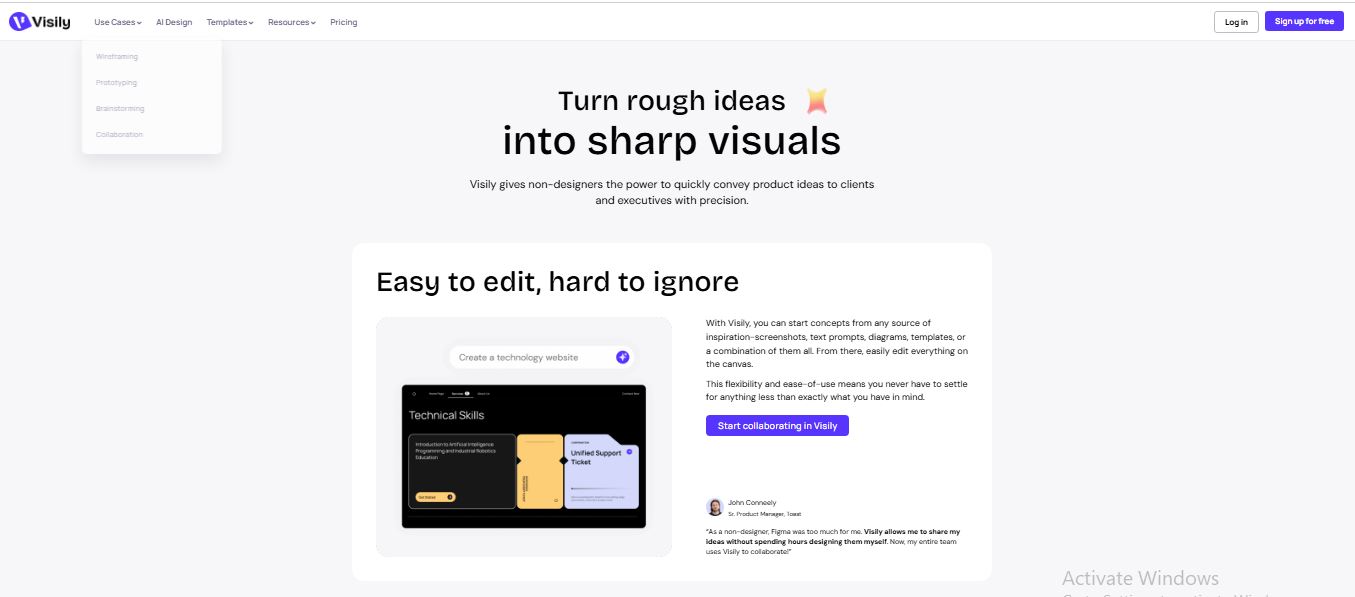
- Screenshot-to-Design: This is Visily’s “magic” feature. If you see a website or app layout you love, you can simply upload a screenshot. The AI instantly converts that static image into an editable wireframe, allowing you to swap text, move buttons, and customize the layout without starting from scratch.
- Text-to-UI Generation: Don’t even have a screenshot? Just type it out. By entering a prompt like “a modern dashboard for a fitness tracking app,” Visily generates multiple screens with logical layouts, components, and placeholder content ready for refinement.
- Sketch-to-Design: For those who prefer thinking on paper, Visily can digitize hand-drawn sketches. Take a photo of your whiteboard session or notebook, and the AI will recognize the shapes and text, transforming them into clean, digital UI elements.
- Smart Theming & Lo-Fi/Hi-Fi Switch: Visily allows you to toggle between low-fidelity wireframes (great for brainstorming) and high-fidelity designs (ready for presentations) with one click. Its “Magic Theme” feature also lets you extract colors and fonts from any URL to apply consistent branding instantly.
Also Check : UDAAN Scholarship 2025 For UG Students
5 Problems with their solutions that Visily can solve it
Problem: “I’m not a designer and I don’t know where to put buttons or menus.”
Solution: Use Text-to-Design to let the AI suggest industry-standard layouts based on your app’s goal.
Problem: Recreating an existing legacy app for a modern update takes too long.
Solution: Upload Screenshots of the old app; Visily will turn them into editable components instantly.
Problem: Explaining a complex user journey to developers using just words.
Solution: Use the Prototyping Mode to link screens together and create a clickable flow that shows exactly how the app should work.
Problem: Finding consistent, high-quality images for mockups.
Solution: Use Magic Image to generate or find placeholder images that match your design’s aesthetic automatically.
Problem: Designs looking “messy” or inconsistent.Solution: Apply Magic Themes to ensure every screen uses the same color palette and typography perfectly.
Frequently Asked Questions about Visily
- Can I export my designs to code?
Visily focuses on design, but you can export to Figma, which then supports various code-handoff plugins. - Is my data safe?
Yes. On paid plans, Visily offers enhanced privacy and ensures your data is not used for general model training. - Does it work on mobile?
You can view and present designs on mobile, but the editing canvas is optimized for desktop browsers. - What is an AI Credit?
Each AI action (like generating a screen or converting a sketch) consumes a credit. Credits refresh monthly. - Do I need to know UI/UX rules?
No! The AI follows standard UX patterns, so your designs will naturally look professional
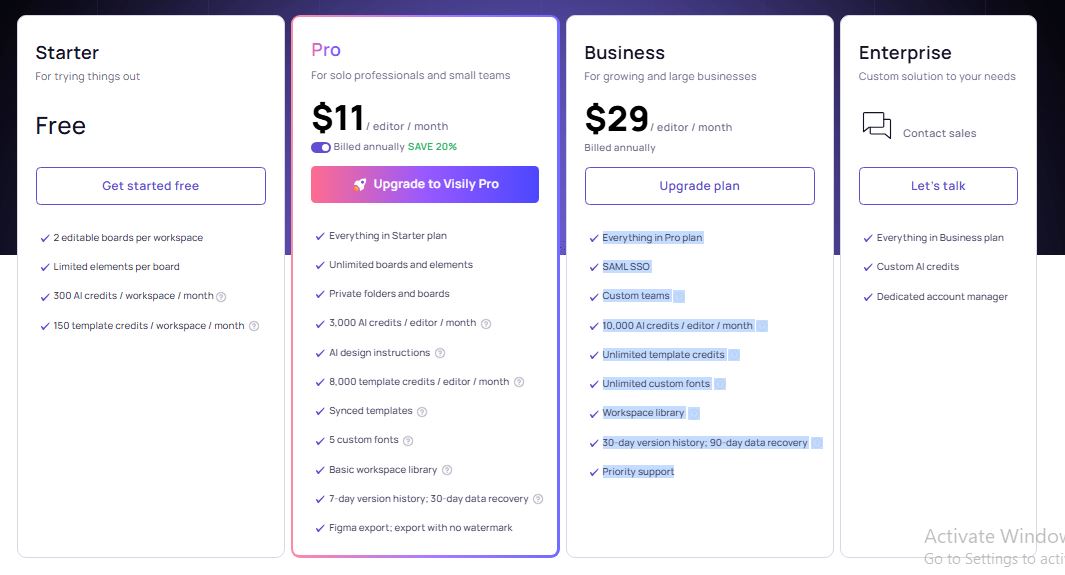
Visily: Pricing Plan
Visily offers a tiered structure to support everyone from solo founders to large enterprises:
- Starter (Free): $0/month. Includes 2 editable boards, 2,500 elements per board, and limited AI/Template credits (approx. 100/month).
- Pro: ~$11–$14/editor/month. Everything in Starter plus unlimited boards, private folders, 3,000 AI credits, and no watermarks on exports.
- Business: $29/editor/month. Includes everything in Pro plus SAML SSO security, 10,000 AI credits, and priority support.
- Enterprise: Custom Pricing. Tailored for large organizations needing unlimited credits and dedicated account management.
Also Check : Doubt Solving Expert Work From Home Internship by Kunduz Technologies
Conclusion
Visily is a game-changer for product teams who need to move fast. By automating the “busy work” of design—like drawing boxes and aligning text—it allows you to focus on the most important part: the user experience and the core idea. Whether you are pitching to investors or collaborating with a remote team, Visily ensures your ideas look as professional as they sound