



All India Scholarship Helpline : 8050067687

Google Flow

Last Update On

Staff 3

Google Flow: AI Video Creation and Filmmaking Tool

CIGMA Pedia Whatsapp Community

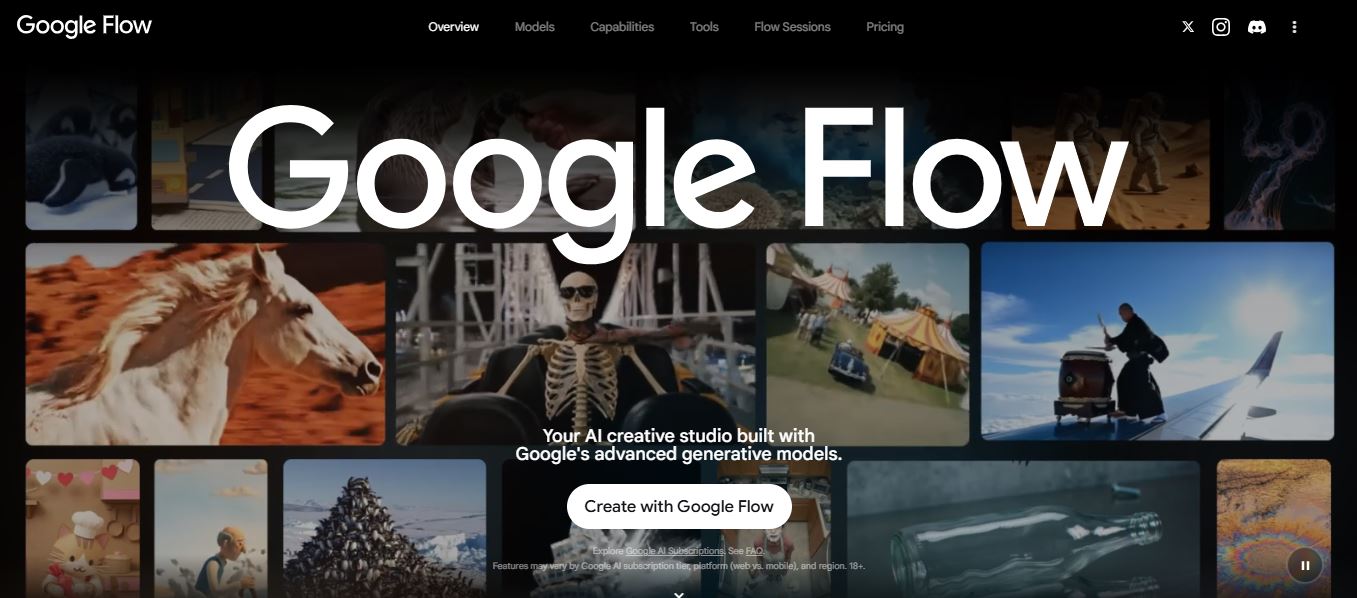
Google Flow: AI Video Creation and Filmmaking Tool Google Flow is an AI powered creative studio designed for creating and editing videos, images, and visual content. It uses Google’s advanced AI models, including Veo 3.1, Gemini Omni, and Nano Banana, to help creators turn ideas into high-quality visual content. Users can create videos from text, images, and other references while making edits with natural-language instructions. Google Flow is made for filmmakers, content creators, artists, and anyone who wants to create visual stories with AI. It provides a creative workspace where users can plan ideas, generate content, and refine their projects without needing several separate AI tools.
5 Benefits of Using of Google Flow

  1. Saves Time – AI can speed up video and image creation.
  2. Easy Creative Workflow – Users can plan, create, and refine projects in one workspace.
  3. Supports Multiple Media Types – It works with text, images, and video.
  4. Useful for Storytelling – Characters, scenes, and video extensions support creative projects.
  5. Powerful AI Models – Flow uses Google’s advanced generative models, including Veo 3.1 and Gemini Omni.

Features of Google Flow

  • AI Video Generation: Google Flow can create videos from text prompts and visual references. Its Veo 3.1 model is designed for realistic video generation, creative control, and native audio.
  • Image Generation and Editing: Nano Banana provides AI image generation and editing capabilities. Users can create images, modify objects, add text, and make other visual changes.
  • Natural-Language Editing: Users can describe the changes they want in simple language. Flow can help edit images and videos without requiring complex editing commands.
  • Creative Tools: Flow includes tools for video resizing, animated text, image editing, visual effects, mockups, and other creative workflows. Users can also create custom tools using natural language.
  • Story and Scene Creation: Google Flow provides features such as Frames to Video, Ingredients to Video, Video Extension, Characters, and Scenebuilder. These features can help creators build visual stories and develop scenes.

Also Check : Titan Scholarship 2026-27 for Diploma and UG Courses

5 Problems with their solutions that Google Flow can solve it

1. Problem: Creating professional-looking videos takes time.

Solution: AI video generation can provide a faster way to turn ideas and references into video content.

2. Problem: Video editing can be complicated

Solution: Natural-language editing allows users to describe changes instead of relying only on complex editing controls.

3. Problem: Maintaining visual consistency is difficult.

Solution: Reference images, characters, and creative controls can help creators develop more consistent visual projects.

4. Problem: Creating images and videos requires multiple tools.

Solution: Google Flow combines image generation, video creation, editing, and creative tools in one workspace.

5. Problem: Creating content for different formats takes extra work

Solution: Tools such as Video Resizer can help creators adapt videos to different aspect ratios.

Frequently Asked Questions about Google Flow

Q1. What is Google Flow?
Google Flow is an AI creative studio for generating and editing videos, images, and visual content.

Q2. Which AI models does Google Flow use?
Flow currently uses models including Veo 3.1, Gemini Omni, and Nano Banana.

Q3. Can Google Flow create videos from text?
Yes. Flow supports text-to-video along with Frames to Video and Ingredients to Video.

Q4. Does Google Flow have a free plan?
Yes. Users can try Flow without a Google AI subscription and receive 50 daily Flow credits.

Q5. Who can use Google Flow?
Google Flow is designed for creators, filmmakers, artists, and anyone who wants to explore visual ideas and create AI-powered content.

Google Flow: Pricing Plan

Google Flow offers a free option as well as paid Google AI plans. Current Flow pricing information lists:

  • Free – $0: 50 daily Flow credits with access to core Flow features and models.
  • Google AI Plus – $4.99/month: 50 daily credits plus 200 monthly Flow credits and additional features.
  • Google AI Pro – $19.99/month: 50 daily credits plus 1,000 monthly Flow credits and higher access to Flow features.
  • Google AI Ultra – $99.99/month: 50 daily credits plus 10,000 monthly Flow credits, with higher limits and 4K image/video upscaling.
  • Google AI Ultra – $199.99/month: 50 daily credits plus 25,000 monthly Flow credits and the highest listed Flow limits.

Also Check : Digital Marketing Work from Home Internship at Ascella Infosec Opc

Conclusion

Google Flow is a powerful AI creative studio for making videos, images, and visual stories. Its AI video generation, image editing, natural-language controls, creative tools, and advanced Google models make it useful for many types of content creation. With a free option and several Google AI plans, users can choose access based on their creative needs and usage

Also Check : Marvlus: AI Powered SEO and AI Visibility Tool