



All India Scholarship Helpline : 8050067687

Ebsynth

Last Update On

Staff 3

EbSynth: AI Powered Video Stylization and VFX Tool

CIGMA Pedia Whatsapp Community

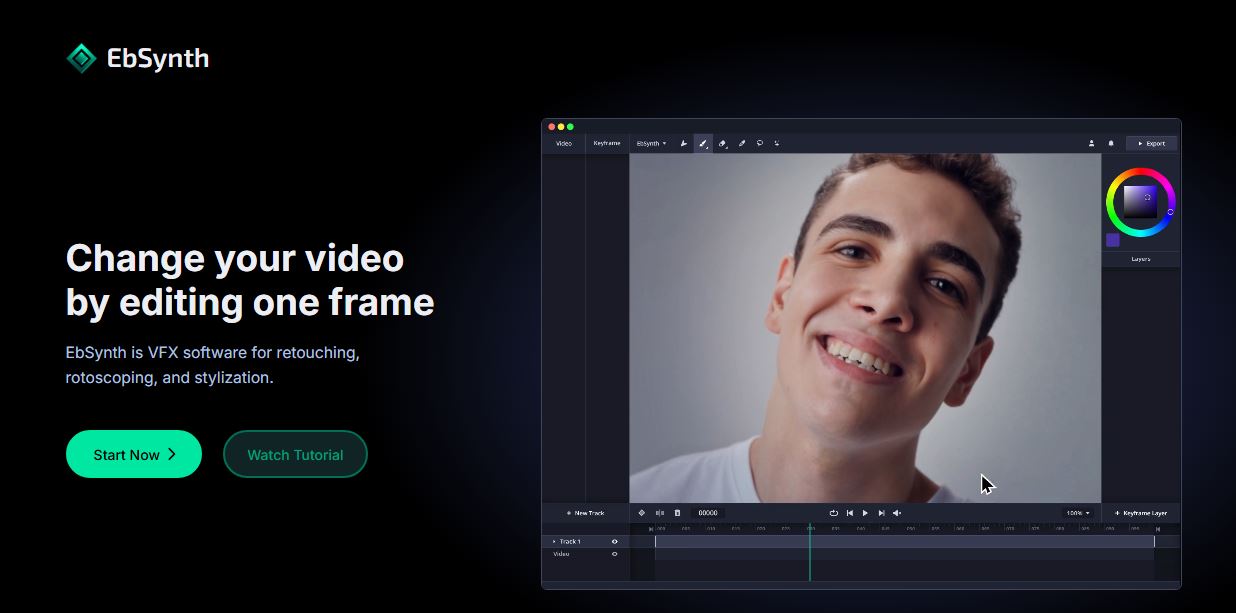
EbSynth: AI Powered Video Stylization and VFX Tool EbSynth is a video editing and VFX tool that lets creators change the look of an entire video by editing only selected keyframes. It can propagate painted or edited keyframes across video footage, making tasks such as rotoscoping, retouching, colorizing, and animation stylization faster. Unlike many AI video tools, EbSynth’s main propagation process does not use AI or generative models; it uses a texture-synthesis algorithm. An optional AI feature can generate keyframes.
5 Benefits of Using of EbSynth

  1. Saves Time – EbSynth lets creators edit selected keyframes instead of manually changing every frame in a video.
  2. Makes Video Stylization Easier – Artists can create a visual style on a keyframe and propagate it throughout the footage.
  3. Reduces Manual Tracking Work – Retouching, colorizing, and other visual corrections can be completed with less frame-by-frame editing.
  4. Gives Artists Creative Control – Users can manually paint and adjust keyframes, giving them more control over the final visual result.
  5. Offers a Free Option – The Free plan provides all core functions without time or functional limitations, making it accessible to beginners.

Features of EbSynth

  • Keyframe-Based Video Editing: EbSynth allows users to edit selected keyframes and automatically propagate those changes through the video. This reduces the need to manually edit every frame.
  • Video Stylization: Creators can paint a keyframe and use EbSynth to apply the visual style across the footage. This is useful for creating hand-drawn, painterly, or artistic video effects.
  • Retouching and Colorization: EbSynth can help with video touch-ups, digital makeup, and colorization. Users can correct a selected frame and let the software propagate the changes through the shot.
  • Rotoscoping Support: EbSynth can help artists isolate and modify elements in video without manually working on every frame. Separate tracks can also be used for independently moving areas such as faces, eyes, or backgrounds.
  • AI Keyframe Generation: EbSynth includes an optional Generate Image feature powered by SDXL 1.0. Users can use AI to create keyframes and then propagate those visuals through their videos.

Also Check : Nemichand Jain Scholarship 2026 for 1st Year UG Students

5 Problems with their solutions that EbSynth can solve it

1. Problem: Editing every frame manually takes too much time

Solution: EbSynth propagates changes from selected keyframes across the video, reducing repetitive frame-by-frame work.

2. Problem: Traditional video stylization can be complicated.

Solution: Users can paint one keyframe and let EbSynth apply the visual changes across the footage.

3. Problem: Video color correction requires repeated editing.

Solution: A corrected keyframe can be propagated through the shot, helping speed up colorization and visual adjustments.

4. Problem: Digital makeup and video retouching can require manual tracking.

Solution: EbSynth can propagate retouched keyframes through suitable footage, reducing tedious tracking work.

5. Problem: Artists want to create animated videos from their artwork.

Solution: Creators can paint keyframes and use EbSynth to transform live-action performance into a hand-drawn or painterly animation style.

Frequently Asked Questions about EbSynth

Q1. What is EbSynth used for?
EbSynth is used for video stylization, retouching, rotoscoping, colorization, and creating artistic animations.

Q2. Is EbSynth an AI tool?
The main EbSynth propagation process does not use AI. It uses a texture-synthesis algorithm. However, its optional Generate Image feature uses an AI model to create keyframes.

Q3. Is EbSynth free?
Yes. EbSynth has a Free plan with its core functions and no time limitation. Paid plans provide features such as higher-resolution exports and priority processing.

Q4. Can EbSynth create animated videos?
Yes. Users can paint keyframes and propagate the artwork through video to create hand-drawn or painterly animation effects.

Q5. Does EbSynth store uploaded videos?
For online processing, videos and keyframes are temporarily uploaded for rendering and deleted after the result is returned. The Studio version provides local processing for users who need footage to remain on their machines.

EbSynth: Pricing Plan

Free Plan – $0
The Free plan includes all core functions, 720p video export, and MP4 output. EbSynth states that there are no time or functional limitations on the Free plan.

Pro Plan – $20 per Month
The Pro plan costs $20 per month and adds 1080p and 4K exports, PNG output with alpha, and priority processing. It is suitable for creators who need higher-resolution results.

Studio Plan – $200 per Month per Seat
The Studio plan costs $200 per month per seat. It allows EbSynth to run locally through its Windows desktop application, keeping footage on the user’s machines. This plan is designed for professional teams that need stronger privacy and offline processing.

Also Check : Sales Work from Home Internship at QuadB Tech

Conclusion

EbSynth is a powerful tool for creators who want to transform video without manually editing every frame. Its keyframe propagation, video stylization, retouching, colorization, and rotoscoping capabilities make complex VFX workflows easier. With a free plan and professional options starting at $20 per month, EbSynth is a useful choice for filmmakers, animators, VFX artists, and digital creators looking for greater creative control and faster video production

Also Check : Keyframe Labs: AI Powered Interactive Avatars for Real Time Conversations