



All India Scholarship Helpline : 8050067687

Scanread

Last Update On

Staff 3

ScanRead AI: Extract Text from Images and PDFs with AI

CIGMA Pedia Whatsapp Community

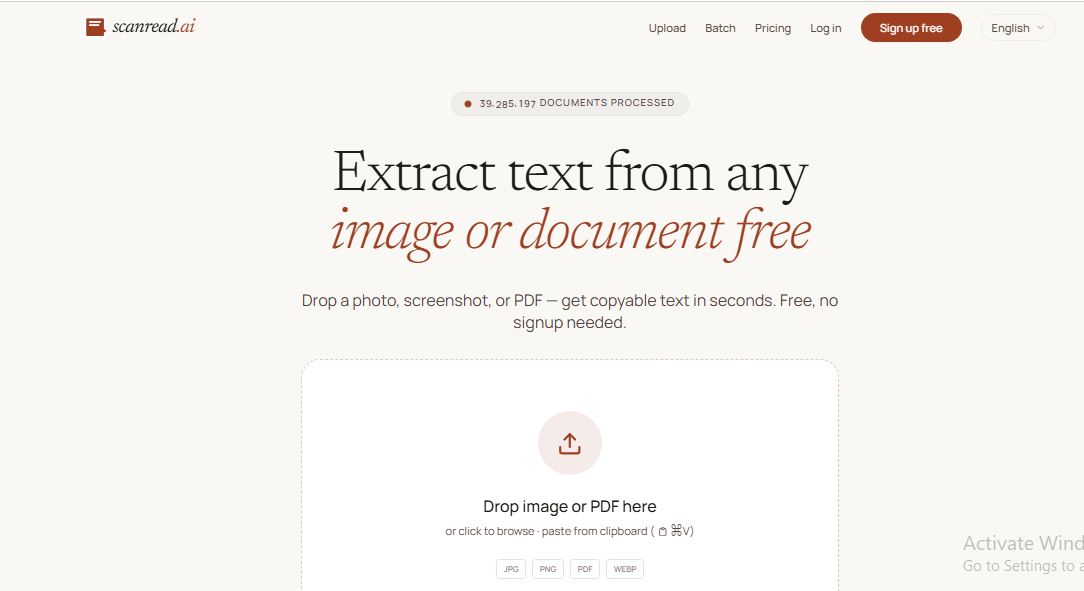
ScanRead AI: Extract Text from Images and PDFs with ScanRead AI is an AI-powered Optical Character Recognition (OCR) tool that extracts text from images, screenshots, scanned documents, handwritten notes, and PDFs. It converts non-editable content into editable and searchable text within seconds. The platform supports over 100 languages and works directly in your web browser without requiring software installation. It is ideal for students, professionals, businesses, researchers, and anyone who needs to digitize documents quickly
5 Benefits of Using of ScanRead AI

  • Saves time by converting images into editable text within seconds.
  • Eliminates manual typing and reduces errors.
  • Supports over 100 languages for global users.
  • Works on both printed documents and handwritten notes.
  • Easy to use without installing any software.

Features of ScanRead AI

  • AI-Powered OCR Technology: ScanRead AI uses advanced OCR technology to accurately recognize printed and handwritten text from images and documents.
  • Supports Multiple File Formats: You can upload JPG, PNG, WebP, TIFF, BMP, and PDF files for text extraction.
  • Handwriting Recognition:It can convert handwritten notes into editable digital text, making note-taking and document management easier.
  • Fast Processing: Most documents are processed in about two seconds, allowing users to save time.
  • No Software Installation: ScanRead AI works completely online, so you can use it from any modern web browser

Also Check : Atul Maheshwari Scholarship 2026 for Class 9 to 12 Students

5 Problems with their solutions that ScanRead AI can solve it

1. Problem: You cannot copy text from an image.

Solution: ScanRead AI extracts the text and converts it into editable content

2. Problem: Scanned PDF files are not searchable

Solution: It converts scanned PDFs into searchable and editable text

3. Problem: Manual typing takes too much time

Solution: AI automatically recognizes and extracts text in seconds

4. Problem: You need to digitize handwritten notes

Solution: ScanRead AI converts handwriting into editable digital text

5. Problem: You receive documents in different languages

Solution: The tool recognizes text in over 100 languages, making it easy to extract and use multilingual content

Frequently Asked Questions about ScanRead AI

Q1. Is ScanRead AI free?
Yes. It offers a free plan with daily page limits for text extraction

Q2. What file formats does ScanRead AI support?
It supports JPG, PNG, WebP, TIFF, BMP, and PDF files.

Q3. Can it recognize handwritten text?
Yes. ScanRead AI can extract text from many handwritten documents.

Q4. How many languages does it support?
It supports more than 100 languages.

Q5. Do I need to install any software?
No. ScanRead AI works entirely online through your web browser.

ScanRead AI: Pricing Plan

Free Plan – Free
The Free plan allows users to extract text from images and documents with daily usage limits. You can process up to 10 pages per day without an account or up to 20 pages per day by creating a free account.

Pro Plan – Paid
ScanRead AI also offers a Pro plan with higher usage limits and additional features for users who process large numbers of documents. Pricing and plan details are available on the official pricing page and may change over time

Also Check : Business Development (Sales) Work from Home Internship at Codeblish

Conclusion

ScanRead AI is a simple and powerful AI OCR tool that makes extracting text from images, scanned documents, and PDFs quick and easy. Its fast processing, handwriting recognition, support for over 100 languages, and user-friendly interface make it a great choice for students, professionals, businesses, and researchers. If you need a reliable tool to convert images into editable text, ScanRead AI is an excellent option

Also Check : Reve AI: Create Amazing AI Images with Simple Text Prompts