



Editing audio used to require heavy software and technical expertise. Audioalter has changed that by bringing a suite of professional-grade audio tools directly to your web browser. It is a versatile, AI-powered online platform designed for podcasters, musicians, and content creators who need to enhance or modify sound files quickly. From adding 3D effects to removing background noise, Audioalter offers a simple, “no-install” solution for high-quality audio production.
5 Benefits of Using of Audioalter
- 100% Browser-Based: No software downloads or heavy installations are required.
- User-Friendly Interface: Simple drag-and-drop functionality that anyone can master.
- No Sign-Up Needed: You can start editing and downloading files instantly without creating an account.
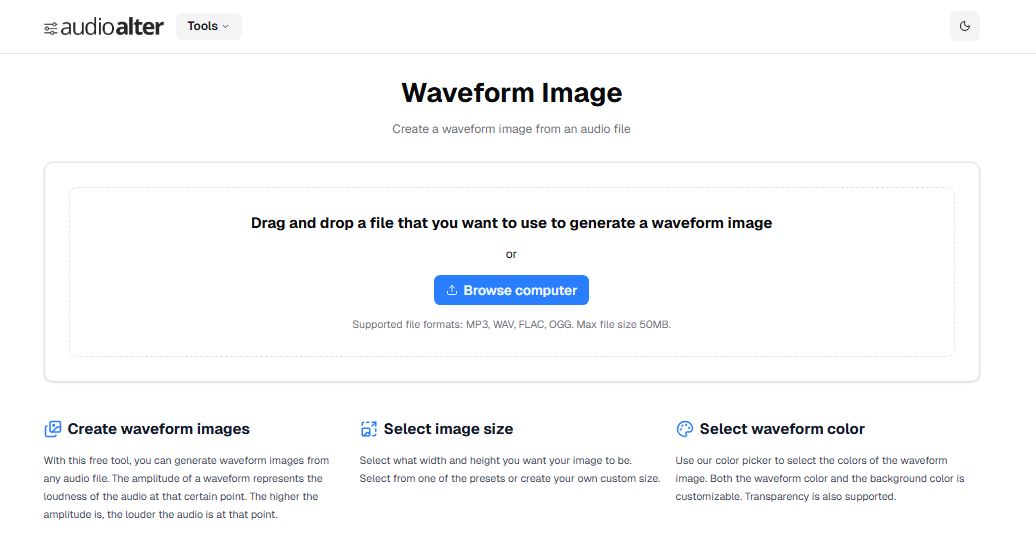
- Broad Format Support: Compatible with MP3, WAV, FLAC, and OGG files.
- High Efficiency: Most edits are processed in seconds, saving you hours of manual work.
Features of Audioalter
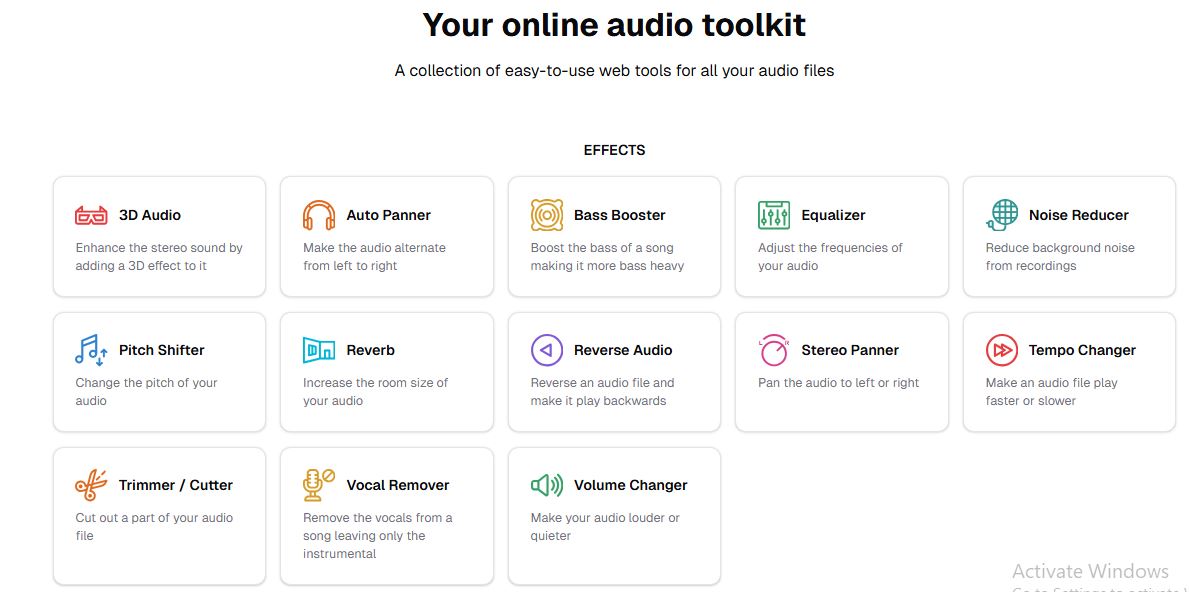
- Immersive 3D & 8D Audio: Audioalter allows you to transform standard stereo tracks into immersive 3D and 8D audio experiences. By using advanced panning and reverb algorithms, the tool makes it sound like the audio is moving around the listener’s head, perfect for experimental music and atmospheric videos.
- AI-Powered Noise Reducer: The Noise Reducer is one of the most popular features. It uses AI to identify and eliminate background hums, fan noises, and static from voice recordings without degrading the original vocal clarity.
- Comprehensive Sound Effects: To speed up or slow down audio without changing its pitch.
- Vocal Remover: Using AI-driven source separation, the Vocal Remover can isolate instrumentals from a song. This is an essential tool for creators looking to make karaoke tracks or clean background music for their videos.
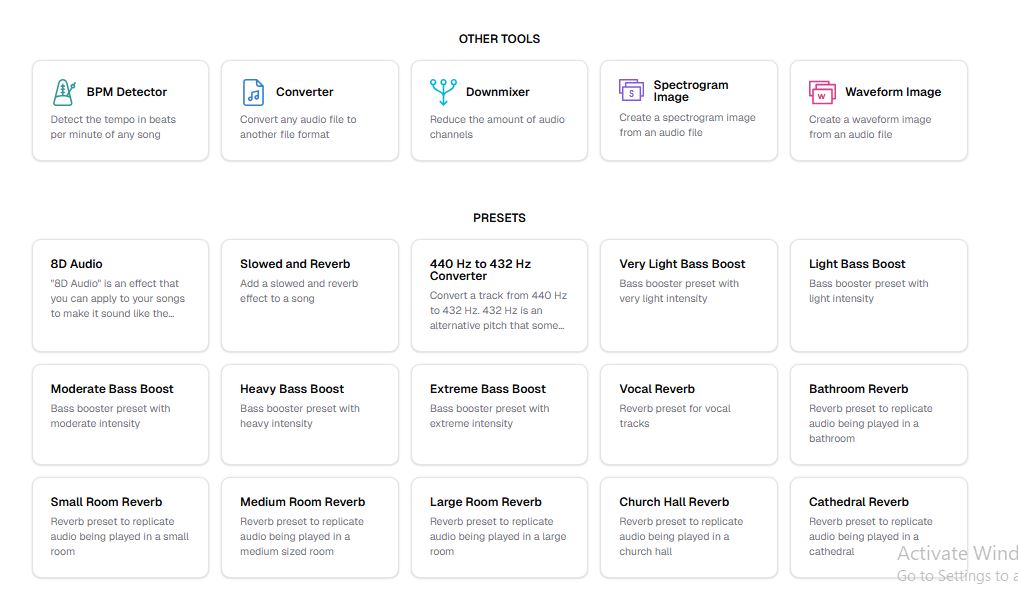
- Visual Tools & Presets: Beyond editing, Audioalter can generate Spectrograms and Waveform images from your files. It also offers unique presets like “Slowed + Reverb” or the “440Hz to 432Hz Converter,” which is favored by many audiophiles for its perceived calming effects.
Also Check : UDAAN Scholarship 2025 For UG Students
5 Problems with their solutions that Audioalter can solve it
Problem: Poor Quality Microphone Recordings
Solution: Use the Noise Reducer and Equalizer to clean up background hiss and balance the frequencies for a professional sound.
Problem: Music Key Mismatch for Vocalists
Solution: The Pitch Shifter allows you to change the key of an instrumental track to perfectly match your vocal range.
Problem: Distracting Background Music in Videos
Solution: Apply the Vocal Remover to extract only the music from a track, removing lyrics that might conflict with your video’s dialogue.
Problem: Boring or “Flat” Stereo Sound
Solution: Enhance the listener’s experience by applying the 3D Audio or Stereo Enhancer tools to give your sound more depth and space.
Problem: Large Audio File Sizes for Web Uploads
Solution: The built-in Audio Converter can compress heavy WAV files into high-quality MP3 or OGG formats to save space.
Frequently Asked Questions about Audioalter
1. Is Audioalter safe to use?
Yes. Files are processed on secure servers and are automatically deleted shortly after processing.
2. Can I use it on my phone?
Yes, Audioalter is mobile-friendly and works on most modern mobile browsers (iOS and Android).
3. Does it support batch processing?
Currently, Audioalter is designed for single-file processing to ensure high speed and quality.
4. Will it ruin the quality of my audio?
No, the AI algorithms are designed to preserve the original fidelity while applying the desired effects.
5. What is the max file size?
The upload limit is generally 50MB per file, which is plenty for most songs and podcast segments.
Audioalter: Pricing Plan
- Free Plan: Audioalter is primarily a free tool. You can access almost all features, including effects and converters, at no cost.
- File Limits: There is typically a file size limit (usually around 50MB) for free users.
- Commercial/Pro Options: While the core tools are free, some third-party listings mention “Premium” options for bulk processing or higher file limits, typically starting around $9.95/month.
Also Check : Doubt Solving Expert Work From Home Internship by Kunduz Technologies
Conclusion
Audioalter is a powerful yet simple solution for modern audio editing. By offering professional AI tools for free and without the need for complex software, it empowers everyone to sound their best. Whether you are a musician experimenting with 8D sound or a content creator cleaning up a voiceover, Audioalter provides the precision and ease you need to succeed.